 spa77.works SMPEconomy survival
Player guideChest locks
Chest locks
Illustrations and screenshots may show Japanese labels. The text below explains the same features in English.
This feature protects individual chests.
It locks each chest separately, rather than protecting the surrounding land.
You can therefore protect chests even in resource worlds where land claims do not work, including Resource Server 2, the Resource Nether, and the Resource End.
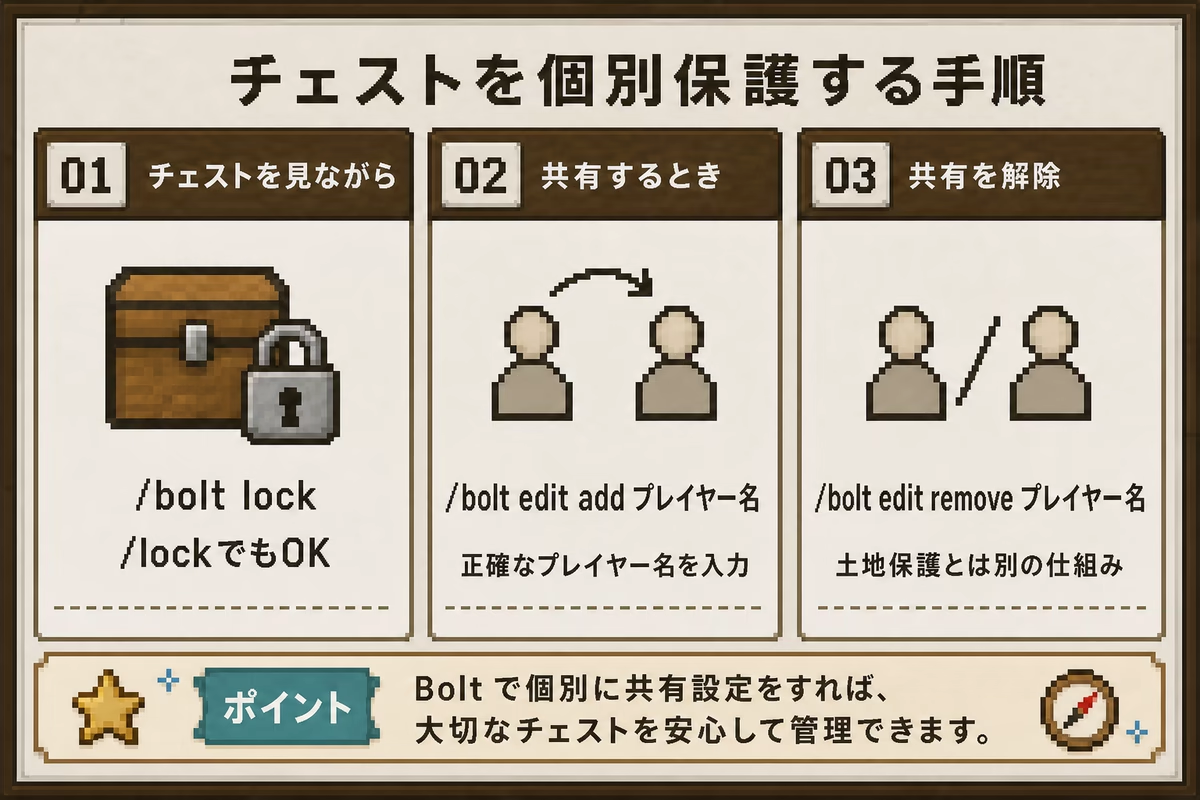
Protecting a chest
Normal chests, trapped chests, and copper chests are not automatically protected when placed.
To protect one, run this command, then click the chest.
/bolt lockThe shorter alias is /lock.
Running the command and clicking the chest applies its individual lock. The player who locks it becomes its owner, and only that player can open it.
Sharing a chest
Run this command, replacing player with the other player’s name, then click the chest you want to share.
/bolt edit add playerTo remove someone’s access, run this command and click the chest.
/bolt edit remove playerUse the player’s exact Minecraft name.
Someone with land permissions still cannot open the chest
Land protection and individual chest locks are separate systems.
Even someone granted /trust or /containertrust on the land cannot open an individually locked chest unless you also share that chest with them.
Remember to use /bolt edit add player for anyone who needs access.
Removing a lock or transferring ownership
To remove protection completely, run this command and click the chest.
/bolt unlockThe shorter alias is /unlock. The chest becomes an ordinary chest that anyone can open.
To give ownership of the chest to someone else, run this command and click it.
/bolt transfer playerAfter you click, that player becomes the owner. Be careful: you will no longer be able to open it yourself.
Checking a chest’s protection
To see who owns a chest and who it is shared with, run this command and click it.
/bolt infoThe command alone does not apply the action
Looking at a chest while entering a command is not enough. For every action, you must click the target chest after running the command.
Behavior in resource worlds
Land protection does not work in resource worlds, including Resource Server 2, the Resource Nether, and the Resource End. Anyone can open or break an unprotected chest there.
Resource Server 2 and the Resource End are regenerated every Sunday morning. Chests and their locks are removed at that time. Keep anything you want to store long-term in the Building World; see Worlds and travel.
Items that cannot be individually locked
Only normal chests, trapped chests, and copper chests can be protected this way.
The following cannot be locked. Do not leave valuable items in them unprotected.
- Containers such as barrels, furnaces, blast furnaces, hoppers, and shulker boxes
- Decorations such as item frames, armor stands, and paintings
In the Building World, these are protected when placed inside your land claim. In resource worlds, do not keep valuables in containers that cannot be protected.
If something unprotected is broken, investigate who did it.