 spa77.works SMPEconomy survival
Player guidePlayer levels
Player levels
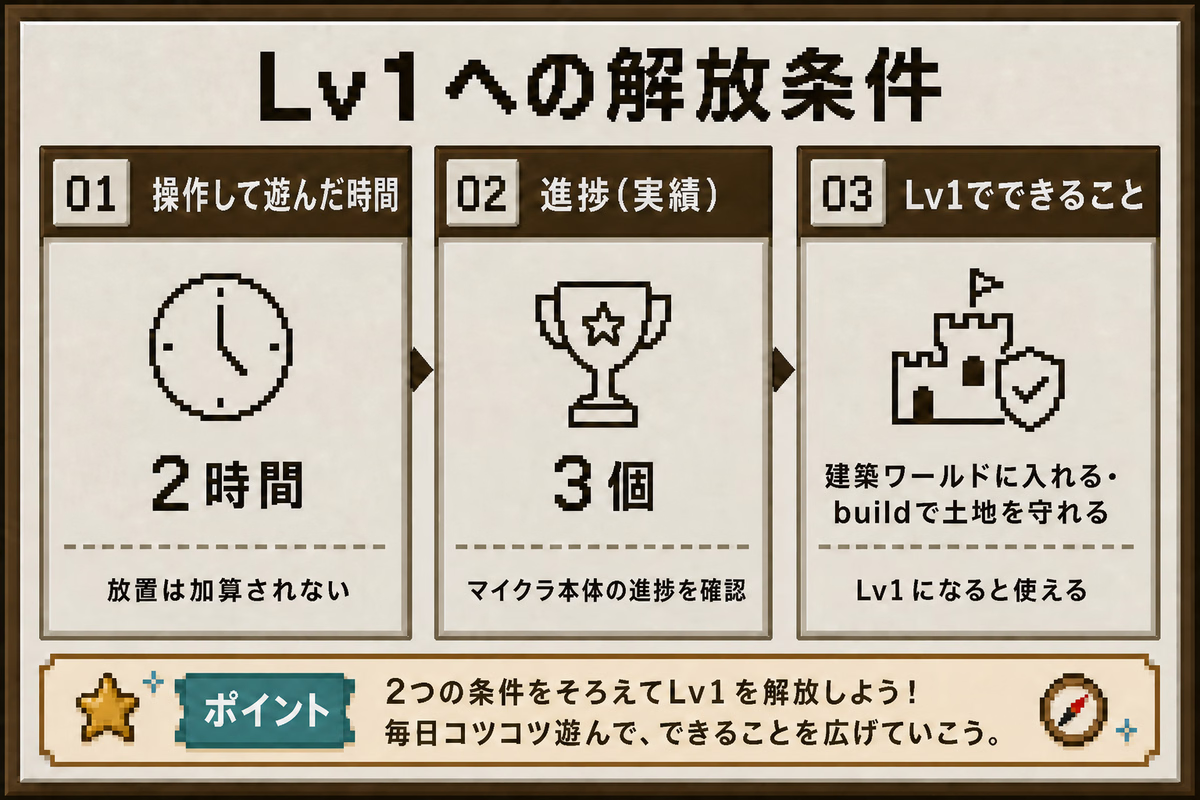
Illustrations and screenshots may show Japanese labels. The text below explains the same features in English.
Each player on this server has a level from Lv0 to Lv3.
Your level rises automatically based on active playtime and completed advancements. Lv2 and Lv3 also require cumulative self-earned income.
Your level determines which worlds and features you can access.
If a command is unavailable, first check your level and the requirements for the next one.
What each level unlocks
| Level | Required active playtime | Required advancements | Required self-earned income | Accessible worlds | Unlocks |
|---|---|---|---|---|---|
| Lv0 | 0 hours | 0 | 0 Spa Coins | Lobby, Resource World, Resource Server 2 | Up to 20 shops |
| Lv1 | 30 minutes | 5 | 0 Spa Coins | All above, plus Building World, Resource Nether, Resource End | Building World access and land protection; Resource Nether and Resource End access |
| Lv2 | 25 hours | 25 | 5,000 Spa Coins | Same as Lv1 | Up to 30 shops, increased from 20 |
| Lv3 | 75 hours | 40 | 5,000 Spa Coins | Same as Lv1 | A celebration when reached; no permanent title is awarded |
You must meet all required playtime, advancement, and self-earned-income conditions to level up. There is no income requirement through Lv1.
The Resource Nether and Resource End require Lv1
At Lv0, the only resource-gathering worlds you can enter are the Resource World and Resource Server 2. This helps new players avoid entering dangerous areas and losing their belongings immediately.
See Worlds and travel for details.
You can obtain a golden shovel with /claimshovel at Lv0, but you do not yet have access to a place where you can use it.
How is active playtime counted?
Simply being connected to the server does not count.
Actions such as these mark you as actively playing.
- Jumping, toggling sprint, or toggling sneak
- Breaking or placing blocks
- Interacting, for example by right-clicking
- Using your inventory
- Attacking monsters or animals
After 60 seconds without one of these actions, you are no longer counted as active.
Walking alone does not count
Only walking, moving your view, or standing still does not count as active play.
Think of it as time that accumulates naturally while playing normally.
Advancements
Only standard vanilla Minecraft advancements count.
Server-specific advancements and unlocked recipes do not count.
Where can I check advancements?
In Java Edition, open the pause menu, for example with Esc, then select Advancements or Achievements.
Bedrock Edition, including phones, Switch, PlayStation, and Xbox, has no server advancement screen in the pause menu.
Instead, run this in-game command.
/advA screen opens showing your completed advancements.
Lv1 requires 5 advancements. Use this screen to check your progress.
Cumulative self-earned income
In addition to playtime and advancements, Lv2 and Lv3 require a total of 5,000 Spa Coins in self-earned income.
Only money you actually earn by working yourself counts.
What counts
- Regular job rewards, such as mining, logging, crafting, and farming
- Job daily quest rewards: 100 Spa Coins, once per day
What does not count
- Transfers from other players through
/pay - Shop sales
- Sales or rewards from the request board or auction
- Money granted by staff or administrators, and refunds
Take a job and work in the Building World or resource worlds to build up your earnings.
Levels do not decrease
Active playtime, completed advancements, and cumulative self-earned income do not decrease. Once you gain a server level, you keep it. Changing jobs does not reduce your server level either. For job-specific levels, see Jobs.
Checking your level
/levelThis shows your current level, active playtime, completed advancements, cumulative self-earned income, and requirements for the next level.
Unlock details are not shown in game
Neither /level nor the level-up display lists the worlds and features unlocked by each level. Refer to the table on this page for those details.
For more information, see the command reference, Worlds and travel, and Land protection.