 spa77.works SMPEconomy survival
Player guideDaily login rewards
Daily login rewards
Illustrations and screenshots may show Japanese labels. The text below explains the same features in English.
Join the server to receive a login reward once per day, including items useful for adventuring and everyday life.
Rewards are delivered automatically to your inventory a few seconds after you log in. No command is required.
Check your progress or claim manually
Enter /daily in chat to see how many rewards you have claimed this month and your current status. /bonus and /loginbonus do the same thing.
If automatic delivery did not happen for some reason, running /daily lets you claim your reward immediately.
When a new day begins
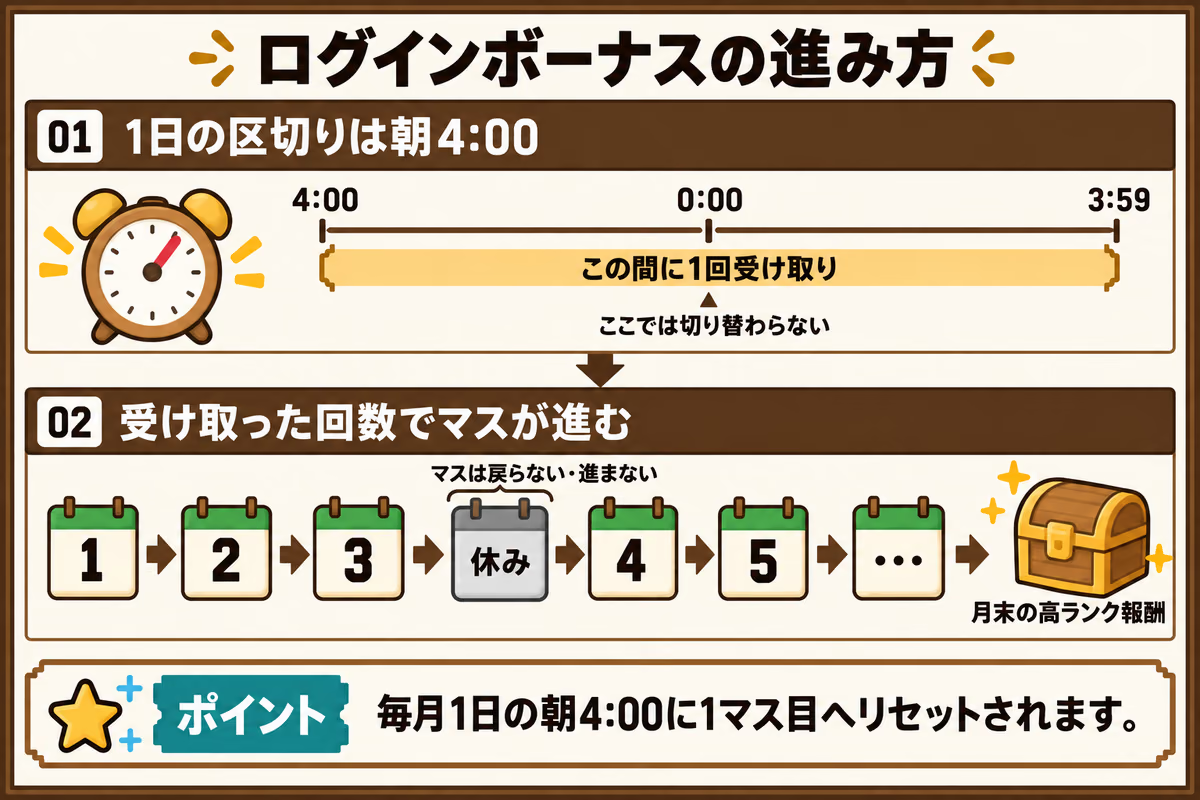
Both the daily and monthly reset use 04:00 Japan Standard Time (JST), rather than midnight. You can claim once between 04:00 and 03:59 the following morning.
How the calendar works
Login rewards follow a calendar prepared for each month.
Progress follows the number of claims
Your total claims that month determine your reward space: the first claim gives the first space, the second claim gives the second space, and so on.
Missing a day does not send you back
Skipping a login day does not reset that month’s claim count.
Missed days do not advance the calendar
A day you do not log in earns no progress. Each missed day leaves you one space farther from the higher-value rewards at the end of the month.
Progress resets each month
At 04:00 on the first day of each month, everyone’s calendar resets to the first space.
Monthly reward contents change from November 2026
Through October 2026, the same calendar is used each month. Starting in November, the contents are selected randomly for each month.
The selection happens once, when that month’s calendar is first needed, and stays fixed for the entire month. Everyone shares the same calendar.
Separate reward pools are used for the weekly milestones at spaces 7, 14, 21, and 28, and the end-of-month spaces 30 and 31. Later spaces offer more valuable rewards. Space 31 always includes 1 additional golden apple.
If your inventory is full
When a reward does not fit in your inventory, the excess drops at your feet.
It is not sent to a warehouse or storage box. Leave some inventory space before joining or claiming, so you do not overlook a reward or have another player pick it up.
Command reference
| Command | What it does |
|---|---|
/daily |
Check login reward progress and claim an unclaimed reward. /bonus and /loginbonus also work. |