 spa77.works SMPEconomy survival
Player guideCommand reference
Command reference
Illustrations and screenshots may show Japanese labels. The text below explains the same features in English.
This page groups the main player commands by purpose and feature.
Open chat and enter a command beginning with /, a forward slash.
Reading command placeholders
<required>: replace this with the required value, as in/pay <player> <amount>.[optional]: you may omit this part, as in/home [name].
Start with /help for available commands, /level for your level, and /jobs browse for jobs. See Getting started for your first steps.
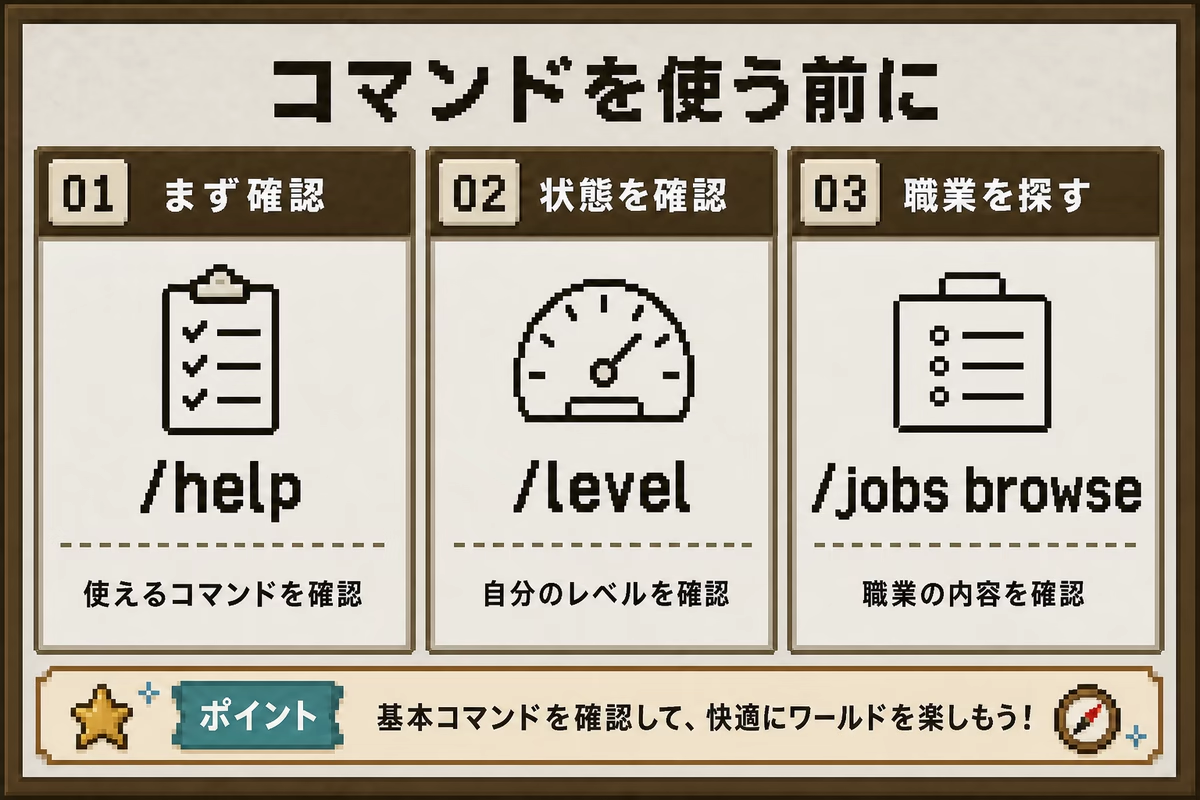
Command availability depends on your level, world, and land permissions. If a command is missing or denied, check whether it appears in /help.
Basic and help commands
Use these for guidance, rules, your status, and feedback to staff.
| Command | Alias | Action | Cost and notes | Guide |
|---|---|---|---|---|
/help |
- | List commands currently available to you | Free; depends on permissions and level | This page |
/level |
- | Check level, self-earned income, and next-level requirements | Free | Player levels |
/guide |
- | Show the short player guide in chat | Free | Getting started |
/rules |
- | Show the main server rules | Free | Server rules |
/phone |
- | Open the smartphone menu | Free; item not required | Smartphone |
/phone get |
- | Receive a smartphone item | Free; unavailable if you already have one or inventory is full | Smartphone |
/adv |
- | View completed advancements, useful on Bedrock | Free | Player levels |
/feedback <message> |
- | Send suggestions or bug reports directly to staff | Free; not public chat; once per 60 seconds; 5–500 characters | Server rules |
Travel and teleport commands
Use these for world travel, homes, and player teleport requests.
| Command | Alias | Action | Cost and notes | Guide |
|---|---|---|---|---|
/lobby |
/l |
Return to the lobby | Free | Worlds and travel |
/rtp |
- | Random safe teleport within Resource World, Resource Server 2, Resource Nether, or Resource End | First success each week free; later successes 100 Spa Coins each; 5-second wait, no cooldown | Worlds and travel |
/sethome <name> |
- | Save or update your location as a home; omitted name defaults to home |
100 Spa Coins; up to 2 homes | Worlds and travel |
/home [name] |
- | Travel to a home; omission lists multiple homes | 2 Spa Coins | Worlds and travel |
/delhome <name> |
- | Delete a home; name required | Free | Worlds and travel |
/tpa <player> |
- | Request to teleport to a player | Free; their approval required | Worlds and travel |
/tpahere <player> |
- | Ask a player to teleport to you | Free; their approval required | Worlds and travel |
/tpaccept |
- | Accept an incoming teleport request | Free | Worlds and travel |
/tpdeny |
- | Reject an incoming teleport request | Free | Worlds and travel |
/tpacancel |
- | Cancel your outgoing teleport request | Free | Worlds and travel |
Traveling between worlds
Use /mv tp resource for the Resource World or /mv tp build for the Building World, which requires Lv1. You can also return to /lobby and use /phone or the pressure plates.
The Resource Nether and Resource End require Lv1, earned through 30 active minutes and 5 advancements. They are not in the phone travel menu; use the lobby plates. See Player levels.
Resource Server 2 is available from Lv0 through the phone’s travel screen or /mv tp resource2. It has no lobby pressure plate.
Money and economy commands
Check balances, transfer money, and view rankings.
| Command | Alias | Action | Cost and notes | Guide |
|---|---|---|---|---|
/balance |
/bal, /money |
Check your Spa Coin balance | Free | The economy, Wealth tax |
/pay <player> <amount> |
- | Transfer an amount to another player | No fee; only the transfer amount is deducted | The economy |
/balancetop |
/baltop |
View balance rankings | Free | The economy |
There is no /sell command
You cannot instantly turn items into money with /sell. Use player shops and auctions for trading. The admin shop sells its own special products.
Job commands: Jobs
Join or leave jobs and check job levels and daily quests.
| Command | Alias | Action | Cost and notes | Guide |
|---|---|---|---|---|
/jobs browse |
- | Open the job menu; click to join | Free | Jobs |
/jobs join <job-id> |
- | Join a job | Free; 1 job per player | Jobs |
/jobs leave <job-id> |
- | Leave a job | Free; level and experience preserved | Jobs |
/jobs leaveall |
- | Leave your jobs | Free | Jobs |
/jobs stats |
- | Check job level, experience, and progress | Free | Jobs |
/jobs quests |
- | View today’s quests and progress | Free | Jobs |
/jobs info <job-id> |
- | View rewarded actions and rates | Free | Jobs |
/jobs limit |
- | Check hourly limit and remaining allowance | Free | Jobs |
/jobs top <job-id> |
- | View level rankings for a job | Free | Jobs |
/jobs help |
- | Show Jobs command help | Free | Jobs |
Land protection commands: GriefPrevention
Protect and share land in the Building World.
| Command | Alias | Action | Cost and notes | Guide |
|---|---|---|---|---|
/claimshovel |
- | Receive a golden claim shovel | Free; once per day | Land protection |
/buyclaimblocks <amount> |
/buyclaim |
Buy land-claim capacity | 10 Spa Coins per block; cannot sell back | Land protection |
/claimslist |
- | View your claims and remaining claim blocks | Free | Land protection |
/trust <player> |
- | Grant building, breaking, chest, and button access | Free | Land protection |
/untrust <player> |
- | Revoke a player’s land permissions | Free | Land protection |
/accesstrust <player> |
/at |
Grant access to doors, buttons, and levers | Free | Land protection |
/containertrust <player> |
/ct |
Also grant chest and furnace access | Free | Land protection |
/permissiontrust <player> |
/pt |
Allow the player to pass their permissions to others | Free | Land protection |
/trustlist |
- | List trusted players in the current claim | Free | Land protection |
/abandonclaim |
- | Remove the current claim | Free; claim blocks returned | Land protection |
/abandonallclaims |
- | Remove all your claims | Free | Land protection |
/trapped |
- | Escape safely from someone else’s claim | Free; short wait before teleport | Land protection |
/subdivideclaims |
- | Enter subdivision mode | Free | Land protection |
/basicclaims |
- | Return to normal claiming mode | Free | Land protection |
Individual chest-lock commands: Bolt
Lock normal, trapped, or copper chests and manage their owners and users.
| Command | Alias | Action | Cost and notes | Guide |
|---|---|---|---|---|
/bolt lock |
/lock |
Run, then click a chest to lock it for yourself | Free | Chest locks |
/bolt unlock |
/unlock |
Run, then click a chest to remove its lock | Free; anyone can open it afterward | Chest locks |
/bolt edit add <player> |
- | Run, then click a chest to share it | Free | Chest locks |
/bolt edit remove <player> |
- | Run, then click a chest to remove shared access | Free | Chest locks |
/bolt transfer <player> |
- | Run, then click a chest to transfer ownership | Free | Chest locks |
/bolt info |
- | Run, then click a chest to inspect its lock and users | Free | Chest locks |
Player-shop commands: QuickShop
Create and manage chest shops in the Building World.
| Command | Alias | Action | Cost and notes | Guide |
|---|---|---|---|---|
/qs |
/cshop, /chestshop |
Show QuickShop menus and help | Free | Shops |
/qs buy |
- | Switch to buying mode: the owner buys | Free | Shops |
/qs sell |
- | Switch to selling mode: the owner sells | Free | Shops |
/qs price <price> |
- | Change the shop price | 50 Spa Coins | Shops |
/qs size <quantity> |
- | Change quantity per transaction | Free | Shops |
/qs item |
- | Change the product to the item in your hand | Free | Shops |
/qs name <shop-name> |
- | Add or remove a shop name | Free | Shops |
/qs staff add <player> |
- | Add shop staff | Free | Shops |
/qs staff del <player> |
- | Remove shop staff | Free | Shops |
/qs staff clear |
- | Remove all staff | Free | Shops |
/qs staff list |
- | List shop staff | Free | Shops |
/qs history |
- | Inspect the selected shop’s trade history | Free | Shops |
/qs find <item> |
- | Find shops selling an item within 45 blocks | Free; 20-second cooldown | Shops |
/qs browse |
- | Browse server-wide shops | Free | Shops |
Request-board commands: ContractBoard
Post and fulfill resource-gathering or other tasks between players.
| Command | Alias | Action | Cost and notes | Guide |
|---|---|---|---|---|
/irai |
- | Open the main menu | Free | Request board |
/irai create |
- | Start entering a request in chat | Reward plus listing fee required | Request board |
/irai list |
- | View available requests | Free | Request board |
/irai my |
- | View requests you posted or accepted | Free | Request board |
/irai vault |
- | Collect delivered or returned items | Free | Request board |
/irai cancel |
- | Cancel unfinished request-creation input | Free | Request board |
Auction commands: AuctionHouse
List, bid on, and buy auction items.
| Command | Alias | Action | Cost and notes | Guide |
|---|---|---|---|---|
/ah |
/auction |
Open the auction main menu | Free | Auctions |
/ah sell |
- | Start listing the item in your hand through chat | Listing fee: 5% of starting price, minimum 10 Spa Coins | Auctions |
/ah list |
/ah browse |
View active listings | Free | Auctions |
/ah my |
- | View your listings | Free | Auctions |
/ah bids |
- | View your bids | Free | Auctions |
/ah vault |
- | Collect won or unsold items | Free | Auctions |
/ah cancel |
- | Cancel the listing or bid currently being entered | Free | Auctions |
Sitting and pose commands: GSit
Sit or pose where you are. Press sneak to stand up or stop posing.
| Command | Alias | Action | Cost and notes | Guide |
|---|---|---|---|---|
/sit |
- | Sit down | Free; empty-hand right-click also works on stairs, bottom slabs, carpets, and snow | Sitting and poses |
/lay |
- | Lie on your back | Free | Sitting and poses |
/bellyflop |
- | Lie face down | Free | Sitting and poses |
/legsup |
- | Sit with legs raised | Free | Sitting and poses |
/spin |
- | Spin in place | Free | Sitting and poses |
/crawl |
- | Crawl through 1-block-high gaps | Free | Sitting and poses |
/sit toggle |
- | Toggle right-click sitting on blocks | Free | Sitting and poses |
/sit playertoggle |
- | Toggle sitting on or carrying other players | Free | Sitting and poses |
Admin shop, rewards, and other commands
These cover the admin shop, login rewards, invitations, posters, inspection, graves, loans, health displays, presents, and friends.
| Command | Alias | Action | Cost and notes | Guide |
|---|---|---|---|---|
/shop |
/adminshop |
Open special items and decorations in the admin shop | Free to browse; products cost money | Admin shop |
/daily |
/bonus, /loginbonus |
Check daily reward progress or claim an unclaimed reward | Free; once per day; shows progress after claiming | Daily login rewards |
/invite |
- | Open the invitation menu and check your code and rewards | Free | Friend invitations |
/invite <inviter> |
- | Register the player who invited you | Free; both receive rewards when eligible | Friend invitations |
/invite top |
- | View completed-invitation rankings | Free | Friend invitations |
/poster |
- | Select a poster and receive 4 map pieces | Free; 4 empty inventory slots needed | Posters |
/co inspect |
/co i |
Toggle inspection: left-click placement, right-click breaking history | Free | Investigating griefing |
/grave |
- | Show your graves and remaining time | Free | Graves |
/loan |
/debt |
Show debt, next interest, deadline, and limit | Free | Loans |
/loan borrow <amount> |
- | Borrow Spa Coins | 10% interest every 7 days | Loans |
/loan repay <amount> |
- | Repay debt; use all for full repayment |
No extra fee | Loans |
/hithealth |
- | Toggle target health display; /hithealth on and /hithealth off set it directly |
Free | Target health and damage display |
/present |
- | Open your parcel mailbox | Free | Presents |
/present <player> |
- | Open an item-shipping box for that player | 20 Spa Coins per shipment | Presents |
/friend |
/friends |
Show friend-feature help | Free | Friends |
/friend add <name> |
- | Send a friend request | Recipient must be online; 500 Spa Coins each on completion | Friends |
/friend accept [name] |
- | Accept a request; name optional if only one is pending | 500 Spa Coins each on completion | Friends |
/friend deny [name] |
- | Decline a request | Free | Friends |
/friend list |
- | View friends and incoming requests | Free | Friends |
/friend chest <name> |
- | Open a shared chest with your friend | Free | Friends |
/friend tp <name> |
- | Teleport to your friend | Free; stand still for 3 seconds | Friends |
/friend remove <name> |
- | End a friendship | Free; shared chest must be empty | Friends |