 spa77.works SMPEconomy survival
Player guideFriend invitations
Friend invitations
Illustrations and screenshots may show Japanese labels. The text below explains the same features in English.
Invite a friend to spa77.works SMP and play together to earn Spa Coin rewards for both the inviter and the new player.
Rewards and requirements
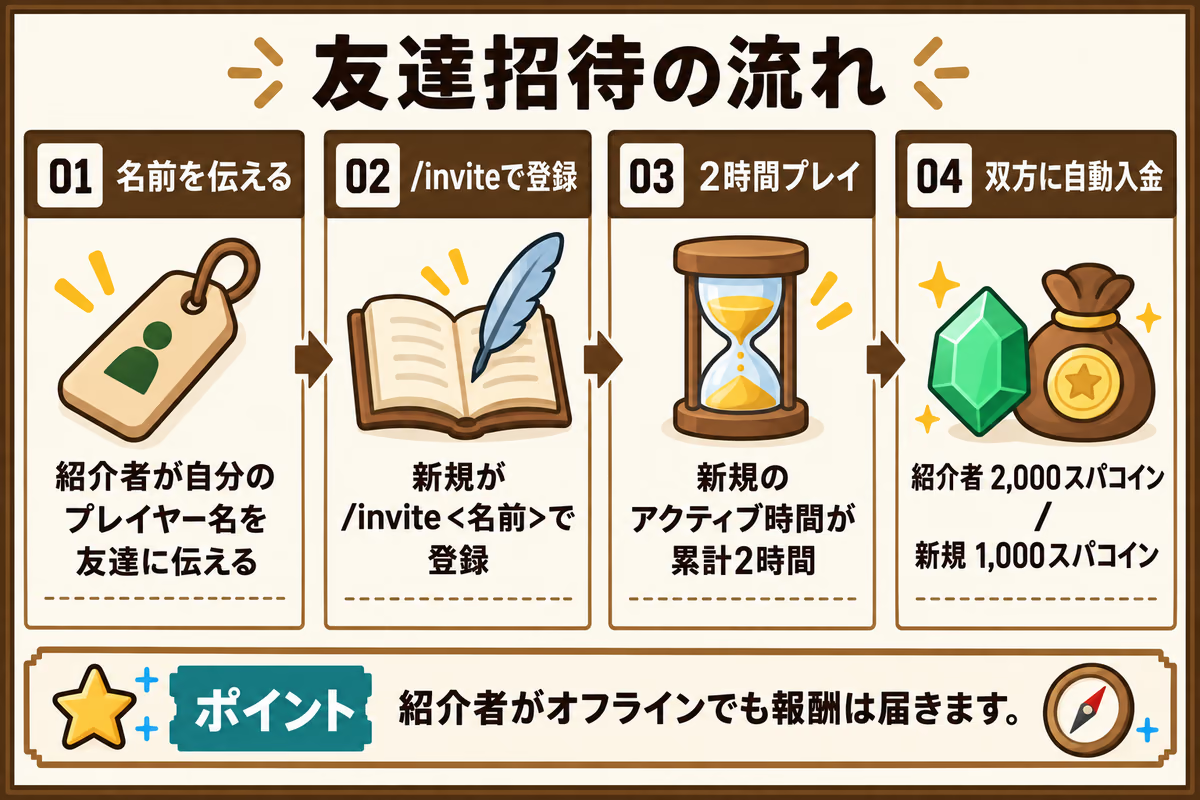
Rewards are paid automatically once the new player reaches the required active playtime.
| Recipient | Reward | Requirement |
|---|---|---|
| Inviter | 2,000 Spa Coins | The new player reaches 2 hours of total active playtime |
| New player | 1,000 Spa Coins | Reach 2 hours of total active playtime |
When rewards are paid
After the new player reaches 2 hours of active playtime, an automatic check while they are online, approximately every 10 seconds, pays both accounts and sends chat notifications.
The inviter can be offline
The inviter’s account receives its reward even if they are not on the server when the requirement is met.
Invitation steps
The inviter shares their name, and the new player registers it with /invite.
1. What the inviter does
Tell your friend your Minecraft player name.
- Your player name itself is your invitation code.
- You must have logged into the server at least once after the invitation feature was introduced.
2. What the new player does
The invited player follows these 3 steps.
1. Register the inviter
After joining the server, enter this in chat.
/invite <inviter>For example, if Steve invited you:
/invite SteveNames that match special commands
If the inviter’s name is something like top or admin, insert code as follows.
/invite code <inviter>2. Play on the server
Once registered, enjoy playing Minecraft on the server.
3. Receive the rewards
Rewards are deposited automatically when you meet the requirements. You do not need to claim them manually.
Only active playtime counts
Eligibility uses McLevel’s active playtime, which excludes idle time, rather than simply being connected or Minecraft’s own playtime statistic. Your progress is kept when you log out, so you can play at your own pace.
Commands and menus
Use these commands in chat.
| Command | What it does |
|---|---|
/invite |
Open the invitation chest menu |
/invite <inviter> |
Register your inviter before reaching 2 hours of active playtime since first joining |
/invite top |
Show the top 10 players by completed invitations in chat |
What the invitation menu shows
Enter /invite on its own to open a screen with the following information.
Your invitation code
See the name to share with your friends.
Your invitation history
See the friends you invited and their current status, such as waiting for playtime or completed.
Your own inviter
Check who invited you to the server.
Invitation rankings
See the leaders by number of completed invitations on the server.
Registration rules and cautions
These rules prevent duplicate reward abuse and keep the system fair.
1. Register before reaching 2 active hours
Only new players who first joined after this feature was introduced can register an invitation. Registration closes when your active playtime reaches 2 hours. Run /invite <inviter> soon after joining.
2. You can register only one inviter
Each new player can register 1 inviter. You cannot change or remove that inviter later, or register several people. Check the name carefully before submitting it.
3. You cannot invite yourself
You cannot register your own player name. Trying /invite with your own name gives an error.
4. Circular invitations are not allowed
You cannot register mutual invitations, such as A inviting B and B inviting A, or a longer loop such as A inviting B, B inviting C, and C inviting A.
5. There is no limit on how many friends you can invite
One player may invite any number of friends. Completed invitations count toward the rankings.
Common questions
| Question | Answer |
|---|---|
| What if I change my player name? | Invitations and history use your internal player ID, or UUID, so a name change does not remove them. Your name updates automatically when you log in with the new name. |