 spa77.works SMPEconomy survival
Player guideInvestigating griefing
Investigating griefing
Illustrations and screenshots may show Japanese labels. The text below explains the same features in English.
Is a chest missing, or has someone made a hole in your wall?
You can investigate who did what, and when, yourself.
Check the location without waiting for staff, then report what you find to them.
One command to remember
Enter /co inspect, then hit or right-click the place you want to investigate.
How to investigate
Follow these 3 steps to inspect a location.
1. Enter inspection mode
Enter this command in game.
/co inspectA message confirms that inspection mode is enabled.
The shorter command /co i works too.
2. Hit or interact with the target
While inspection mode is active, you cannot break or place blocks. Your clicks inspect history instead.
| Action | What it shows |
|---|---|
| Left-click a block | Who placed it and when |
| Right-click a block face | Who broke the block at that location and when, useful for inspecting a hole |
| Right-click a chest or furnace | Who put items in or took them out, what the items were, and when |
Results appear in chat, for example that a particular player broke a chest 3 hours ago.
3. Leave inspection mode
Run the same command again.
/co inspectYou can then break and place blocks normally. If you suddenly cannot break blocks, check whether you forgot to leave inspection mode.
How long records are kept
Records are kept for 180 days. Older records are removed, so investigate as soon as possible.
What to do after griefing
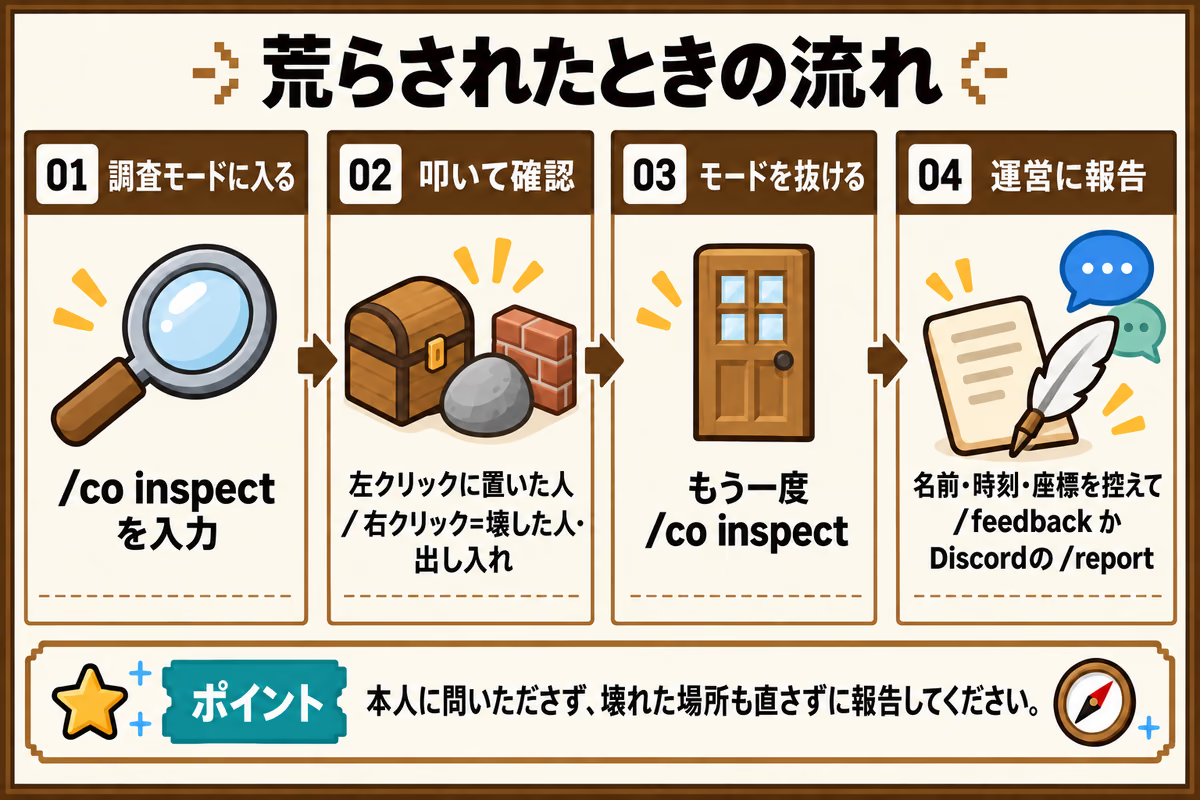
- Use
/co inspectto find who acted and when. - Note the player’s name, approximate time, world, and coordinates.
- Report the incident with
/feedback messagein game, or through/reporton Discord. - Screenshots are helpful.
Please do not confront the player yourself
The records show who interacted with something, not why they did it.
Even when a name appears, pass the information to staff rather than questioning that player directly.
See the player-disputes section of the server rules for more information.
Leave the damaged area as it is until you have reported it, where possible. Repairing or clearing it yourself adds new records and makes the original situation harder for staff to understand.
Staff decide whether to restore the area and how much to restore. Recovery is not always possible.
Preventing griefing in the first place
Inspection helps you investigate after something happens.
Use the following protections beforehand to prevent damage or theft.
| What to protect | Feature |
|---|---|
| Land, bases, and buildings | Land protection |
| A single chest | Chest locks |
Land claims work only in the Building World. Use individual chest locks in resource worlds.
Common problems
| Problem | What to check |
|---|---|
| A message says you lack permission | Ordinary players can use inspection features only. |
| Nothing appears | There may be no record for that block, or the event may be older than 180 days. |